
Transfer with Wallet API
Service Availability & Regional Restrictions
The Wallet API is not enabled by default and is subject to regional availability. To activate the Wallet features for your platform or to check eligibility in your operating region, please contact your Customer Support representative.
This guide details how to integrate Wallet UUIDs into the Transfer V2 workflow. By using a wallet_uuid, OwlPay Harbor handles the underlying blockchain address resolution automatically, simplifying your payload and eliminating manual entry errors.
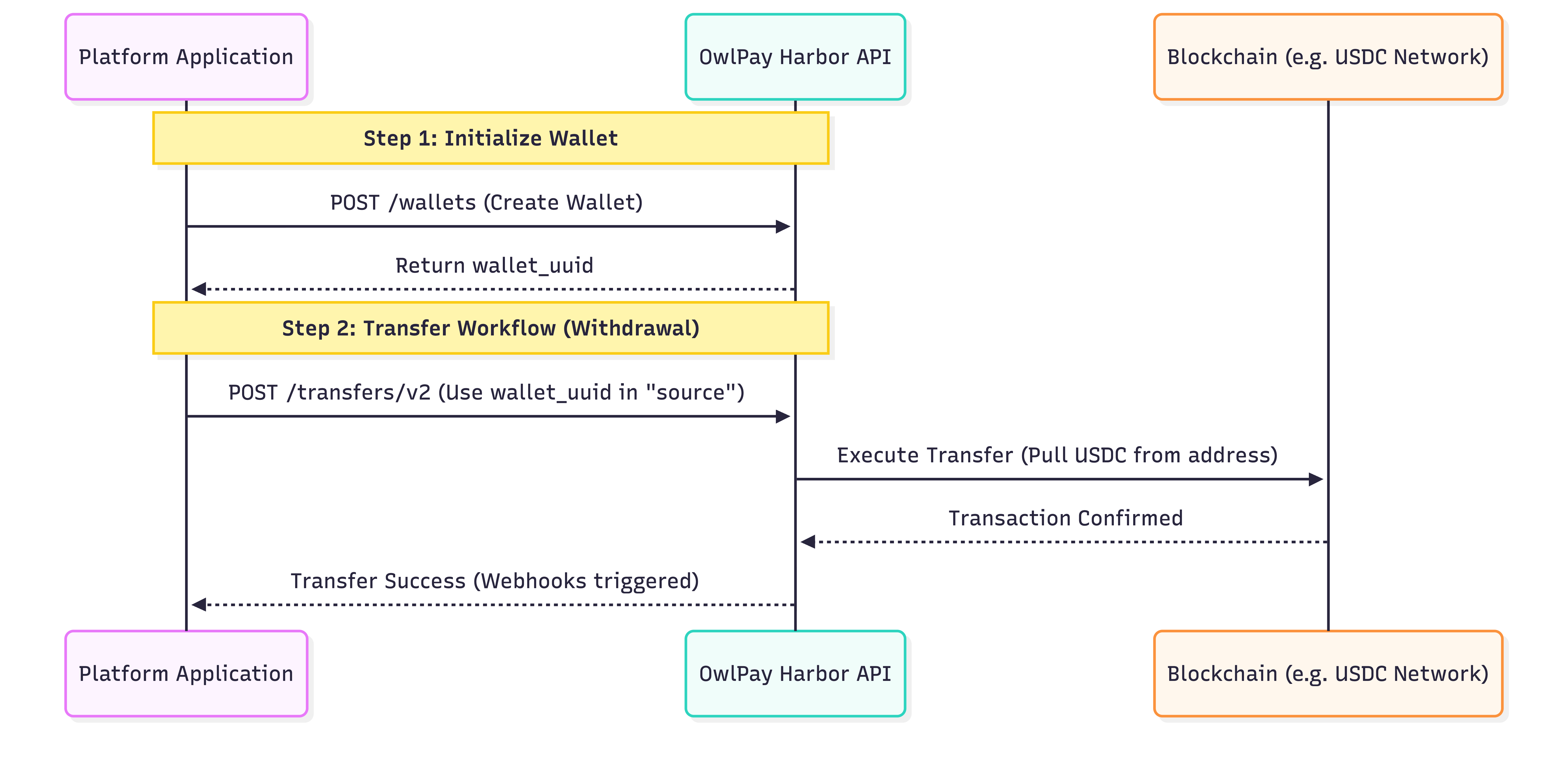
1. Prerequisites: Obtaining a Wallet UUID
Before initiating a transfer, you must have a valid wallet created via the Wallet API.
- API Reference: List Wallets / Create Wallet
- Storage: Save the
uuidreturned in the response. This ID serves as the primary identifier for the wallet within the Harbor ecosystem.
2. Transfer V2 Integration Logic
The wallet_uuid is used as a pointer to identify the source or destination of funds. Depending on the direction of the transaction, the UUID is placed in different sections of the payload.
A. Withdrawal / On-chain (Outbound)
When moving funds out of a Harbor wallet (e.g., sending USDC to an external bank account or a third-party crypto address):
- Path:
source.payment_instrument.wallet_uuid - Automated Logic: Harbor identifies the wallet's on-chain address and automatically pulls the required USDC balance.
- Simplification: You do not need to provide
source.payment_instrument.address. The system resolves the source address automatically based on the UUID.
Payload Fragment:
{
    "source": {
        "payment_instrument": {
            "wallet_uuid": "wallet_yyAXNqQI6bCPIcKsMmEPQCZRY245Fui2"
        }
    },
    "destination": {
        // External Payout Info
    }
}
Updated about 2 months ago