
Authentication
This guide explains how to securely authenticate and access the Owlting Harbor API using API keys.
OwlPay Harbor API uses API keys for authentication. All requests must include the API key in the X-API-Key header. No additional credentials or passwords are required.
Obtaining API Keys
You can generate and manage your API keys directly through the Harbor Portal.
-
Log in to the Harbor Portal.
-
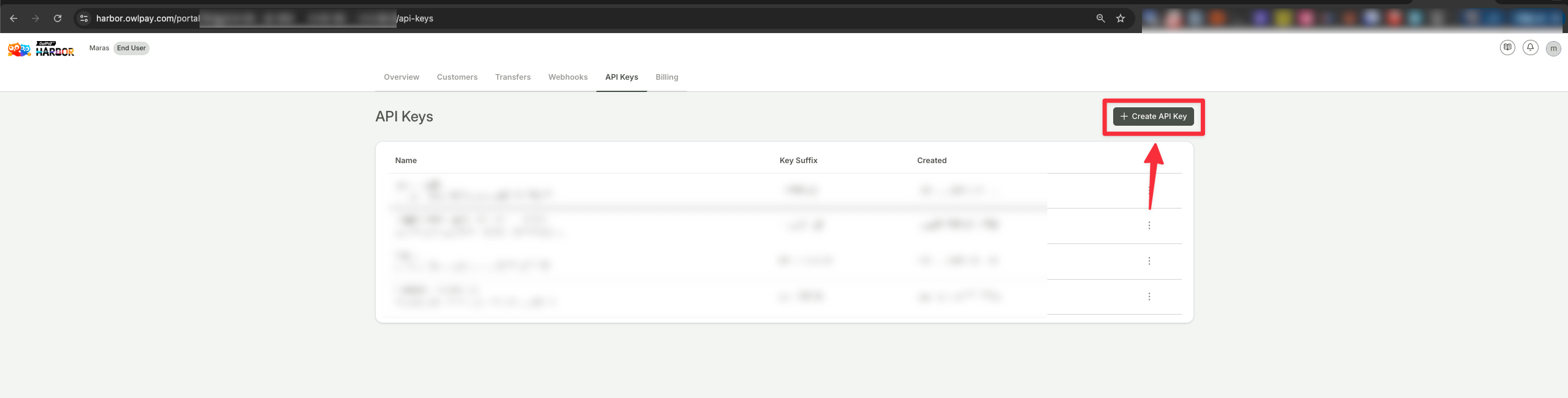
Navigate to the API Keys tab in the main navigation bar.
-
Click the + Create API Key button.
-
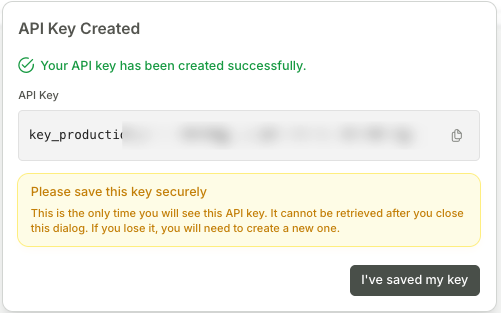
Once the key is generated, copy and save it in a secure location immediately.
Important:For security reasons, the API key is only displayed once at the time of creation. It cannot be retrieved after you close the dialog. If you lose your key, you will need to create a new one.
If a request is made without an API key or with an invalid key, the system will return a 401 - Unauthorized error. Additionally, all API requests must be sent over HTTPS, as HTTP requests will be automatically rejected.
Warning! API Key Security and Best PracticesYour API key grants full access to the API, so it should be handled with extreme care. Never expose your API key in public repositories, internal broadcasts, or unprotected code. Avoid hardcoding API keys in your application, and ensure they are securely stored.
Example
curl --location --request POST 'https://harbor-sandbox.owlpay.com/api/v1/customers' \
--header 'Content-Type: application/json' \
--header 'Accept: application/json' \
--header 'X-API-KEY: {{API_KEY}}'
Updated 3 months ago